Dynamic Content Page Builder
15+ reusable components giving writers creative freedom. Reduced content creation time by 50% and eliminated developer dependencies. Built with Vue 3 & Nuxt 3 component architecture and Pinia state management.
THE CHALLENGE
At Summit Media, every article looked the same. Writers were locked into rigid layouts—no matter if they were writing a photo essay, a breaking news story, or an in-depth feature. They all got the same template.
The problem? Writers are creative. They had visions for how their stories should look, but no way to execute them without waiting on developers.
Our mission: Give them the tools to build their own story layouts.
THE SOLUTION
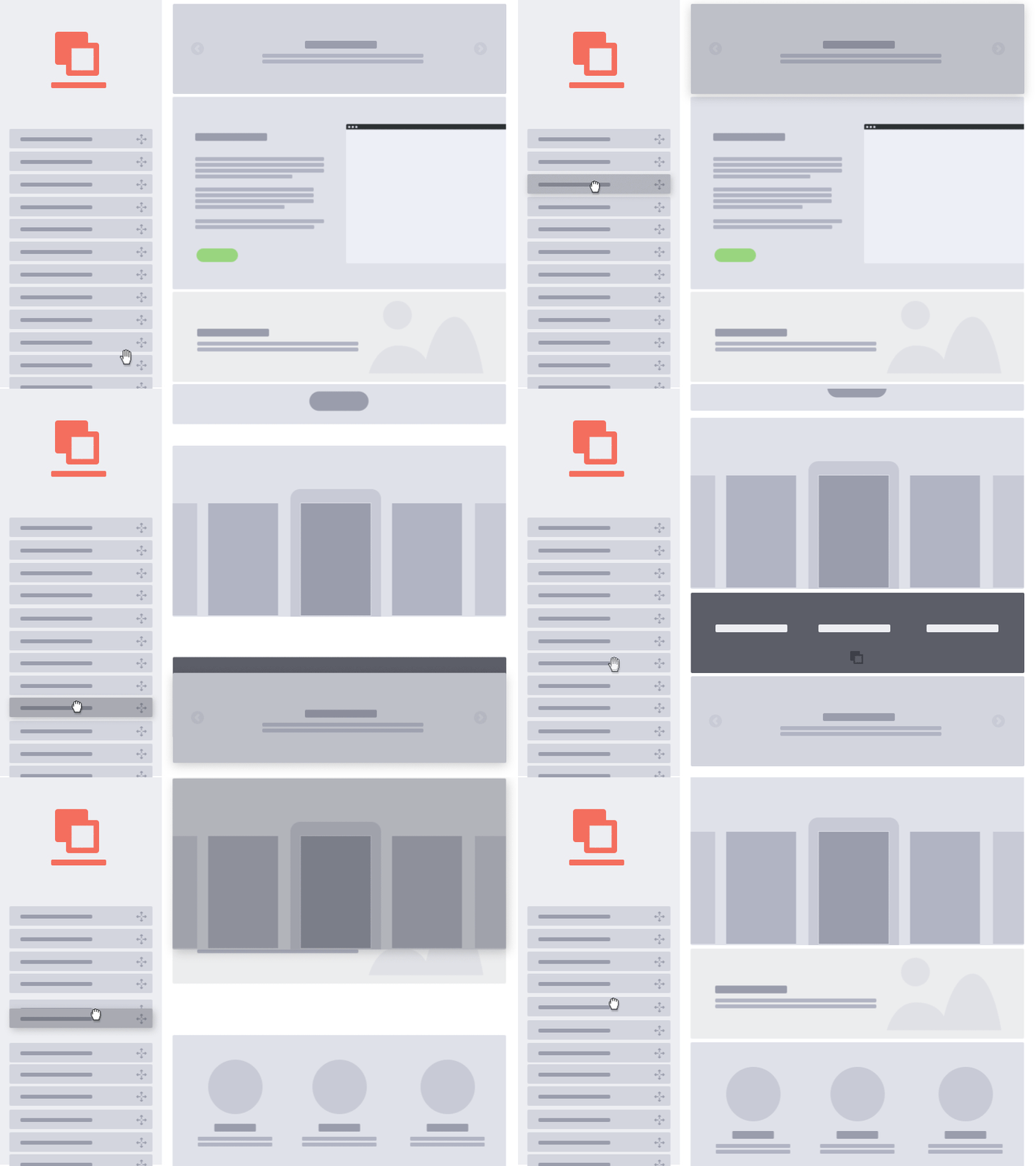
We built a component-based page builder with 15+ reusable blocks that writers could mix and match:
Technical Approach
Architecture Decision:
- Component-driven design using Vue 3 Composition API
- Centralized state management with Pinia for layout configuration
- JSON schema storage for each article's unique layout
Key Components I Built:
- 📸 Photo & Video Carousel with inline media player
- 🎯 Pull quotes and callouts
- 🔗 Interactive embed blocks
The Hardest Part (and what I'm proudest of):
The state management was complex. Each component needed to:
- Maintain its own configuration
- Communicate with parent layout
- Preserve state during drag/reorder operations
- Render consistently across edit/preview modes
I also built a custom media carousel that handles both photos and videos with smooth transitions and inline playback—this was my first time building something like this from scratch.
Code Philosophy
// I focused on making components reusable and predictable
// Each block follows the same contract:
const ComponentBlock = {
  props: ["config", "content", "isEditing"],
  emits: ["update:config", "update:content"],
  // Clean, consistent interface for every component
};
THE IMPACT
Results:
- ✅ 50% reduction in content creation time
- ✅ 15+ reusable components in the library
- ✅ Zero developer intervention needed after launch
What This Means:
Writers went from "Can you help me add a photo gallery?" to "I just published a multimedia story with video, pull quotes, and an interactive timeline—by myself."
WHAT I LEARNED
This project transformed how I think about frontend development:
1. User-Centric Design Matters Even though I never talked directly to writers, building tools FOR them (not just for specs) changed my approach. I had to imagine: "If I were writing a story, what would I want?"
2. Component Architecture at Scale Managing 15+ components taught me patterns I now use everywhere:
- Consistent prop interfaces
- Predictable state flow
- Reusability > quick hacks
3. Fast-Paced Learning Most of the patterns here were first-time for me:
- Dynamic component rendering
- Complex state management across nested components
- Building accessible media players
I used AI (Claude, ChatGPT) to accelerate learning while understanding the "why" behind patterns. This let me deliver fast without sacrificing code quality.
4. Clean Code is a Gift Knowing other devs would maintain this, I obsessed over:
- Clear variable names
- Commented complex logic
- Consistent formatting
TECH STACK
- Framework: Vue 3 (Composition API), Nuxt 3
- State Management: Pinia
- Styling: Tailwind CSS
- Storage: JSON schema for layout persistence
Dalagan — From a Strava Sync Script to a Coaching Platform
I built Splitlog to stop copy-pasting my Strava stats into Notion. Then I sat down to actually design it — every page, the information architecture, the brand — and realized the app I'd built and the app runners actually needed were two different things. This is the story of that rebuild.
Website Performance Optimization
25%+ PageSpeed improvements across multiple sites. Server-side rendering, code optimization, and modern UI/UX. Fast delivery without technical debt.